
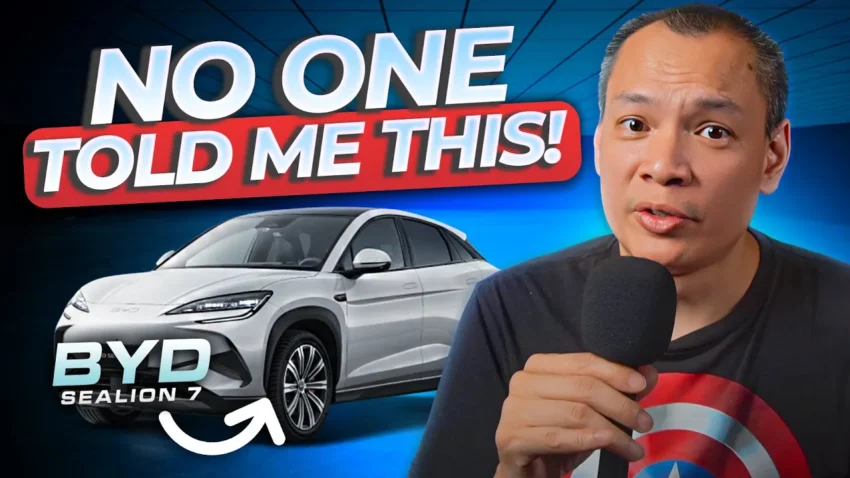
Hey future BYD Sealion 7 owners! The wait is finally over, and your shiny new ride is almost here. Exciting, right? But let’s be real, picking up a new car can also come with a bit of anxiety. What do you need to check? What if you miss something important? Don’t sweat it! I’ve put together this super handy checklist, inspired by my own experience, to make sure your BYD Sealion 7 delivery goes as smoothly as possible. We’ll cover everything from app setup to those crucial exterior and interior checks, and even some charging tips. So, let’s dive in!
Before You Even Leave the House: The BYD App Setup & Digital Keys
First things first, before you even think about heading to the showroom, do yourself a massive favor: download the BYD app. Seriously, do it now. But here’s the crucial part: don’t set up anything yet! Just download it and leave it be. Why? Because this app can be a bit finicky, and if you mess up the initial setup, you might find yourself in a frustrating loop of logging out and starting over. Trust me on this one.
Remember that email address you gave when you bought the car? That’s your golden ticket. The app is registered to that specific email, and without it, you won’t be able to generate digital keys or get full access. So, double-check that your dealership has the correct email on file. A wrong email can lead to days of back-and-forth, and nobody wants to pick up their new car without a working app, right?
Once you’ve got the app downloaded, bring it along to your delivery appointment. Your sales advisor should walk you through the setup process. This is also the perfect time to get your digital keys sorted. These are super cool NFC-based keys on your phone (works seamlessly on both Samsung and Apple iOS devices!) that let you open your car. You even get a couple of extra digital keys for free, so you can set them up on multiple phones if you wish. It’s a game-changer, trust me.
The Grand Tour: Exterior Checks & Panel Perfection
Alright, now for the fun part – getting up close and personal with your new BYD Sealion 7! Start with a thorough walk-around. Think of it as a treasure hunt for perfection. Here’s what to look for:
- Paintwork Perfection: Check for any nicks, scratches, or imperfections. Pay close attention to those tricky corners and edges. Sometimes, you might find a little blob of overspray. While rare, some owners have reported paint flaking on bumpers, so keep an eye out for those small details.
- Panel Gaps and Lines: This is where the build quality really shines (or doesn’t!). Trace the lines on the frunk, trunk, and doors. They should be consistent and even. Honestly, modern Chinese-made cars have come a long way, and I haven’t personally seen any major discrepancies with the Sealion 7, but it’s always good to check.
Frunk & Trunk: Essential Checks for Your BYD Sealion 7
Next up, let’s pop open the frunk (that’s the front trunk for you EV newbies!) and the regular trunk.
- Frunk Fun: Opening the frunk on the Sealion 7 is a two-step process: pull the lever once to pop it, and then again to unlatch it. Make sure it opens and closes smoothly. But here’s a super important tip: check the frunk seal! This seal goes all the way around, and if it’s not perfect, you could end up with a flooded frunk when it rains. You definitely don’t want that!
- Trunk Test: The trunk is usually less dramatic. Open it, close it. Easy. But here’s a little safety test I like to do: when closing the trunk, intentionally put your hand in the way (carefully, of course!). The trunk should detect the resistance and bounce back up. This is a great way to test its safety mechanism, especially if you have little ones around.
Lighting Up Your Drive: Exterior Lights & Safety Features
As you continue your walk-around, don’t forget the lights. Check your brake lights, headlamps, and indicators. Give those indicators a few flashes to make sure everything’s working as it should. Once you’re satisfied with the exterior, it’s time to step inside.
Step Inside: Interior Comfort & Tech Checks
Welcome to your new command center! Get comfortable in the driver’s seat and start exploring:
- Seat Controls: The Sealion 7 has quite a few seat controls. Beyond the usual recline and front-to-back adjustments, play around with the lumbar support (that little round knob) and the thigh rest (it extends the front part of the seat for extra thigh support). Make sure all these adjustments work smoothly.
- Steering and Mirrors: Adjust your steering column and side mirrors to your liking. These are pretty standard, but worth a quick check.
- Air Conditioning: The Sealion 7’s air conditioning controls are a bit unique – a three-finger swipe up for temperature and across for fan speed. It takes a little getting used to, but it’s pretty cool. Test it out: full blast, zero, on, off – make sure it’s all working.
- 360 Cameras: This is a big one! There have been reports of some cameras not working correctly on delivery. Activate your 360 cameras (either from the steering wheel or the UI) and check all angles. Make sure there are no discrepancies or blind spots. You want to make sure all those eyes on your car are working perfectly.
- Software Versioning: This might sound a bit technical, but it’s important. As of the time of the original video, the software version for the Sealion 7 in Singapore was 25503. However, you might get a car with 2412 or even 2410. Ideally, you want the latest version (25503) or at least 2412. If you have 2410, ask your sales advisor if they can update it. The numbers refer to the year and month of the firmware update (e.g., 2410 is October 2024, 253 is March 2025). While BYD usually rolls out OTA (Over-The-Air) updates, getting a newer version at delivery can save you some hassle.
- Sound System: Connect your phone via Bluetooth and test the sound system. While it’s generally pretty good, be warned: the radio reception is known to be quite poor, especially in basements. So, if you’re picking up your car in an underground parking lot, don’t be surprised if the radio struggles. This might be a good opportunity to gently nudge your dealership about it!
The Extras: Accessories and Charging
- Accessories Check: The accessories you get can vary by country. In Singapore, for example, the standard kit (usually found in the sub-frunk) includes a sealant electric pump, a triangle, a tow hook, a nut extractor (looks like a little thong!), and an emergency vest. Other markets might get V2L adapters or AC chargers. Make sure you go through the promised list from your dealer and confirm everything is there.
- Dash Cam (Singapore Pro Tip): If you’re in Singapore, you’ll likely get a BlackVue dash cam. Download the BlackVue app beforehand! Setting it up can be a bit tricky, so it’s a great idea to ask the service folks at the dealership to help you with the initial connection and setup. It’ll save you a headache later.
- First Charge: It’s common for new BYD Sealion 7s to be delivered with a charge of around 40-50%. Unless you’re super lucky and your sales advisor charged it to 100%, plan to head to the nearest fast charger (DC or AC) soon after delivery. Why? Some owners have reported issues with charging after a week or so if they don’t charge it fully right away. Getting it to 100% the first time helps align the car’s maximum voltage and sets a baseline. After that, aiming for 100% every two weeks is good practice.
- Consumption Monitoring: Once you’ve done your first full charge, pay attention to your energy consumption. Most owners see between 15.5 to 17 kilowatt-hours per 100 km. This can vary based on your driving style, but if you’re consistently outside this range, it might be worth mentioning to the dealership to ensure everything is hunky-dory.
Wrapping Up
I know that’s a lot to take in, but trust me, a little preparation goes a long way in ensuring a smooth and happy delivery day for your new BYD Sealion 7. I’ve put together a document with this checklist that you can print out and bring along to your delivery. Hopefully, this has been super useful for you! If you have any other tips or things to add to the list, drop a comment below. Happy driving!